To Access your training via Base Camp you will need to first follow the steps here to log in.
1. Navigate to https://basecamp.cmdnctrl.net/

2. Select "Journeys"
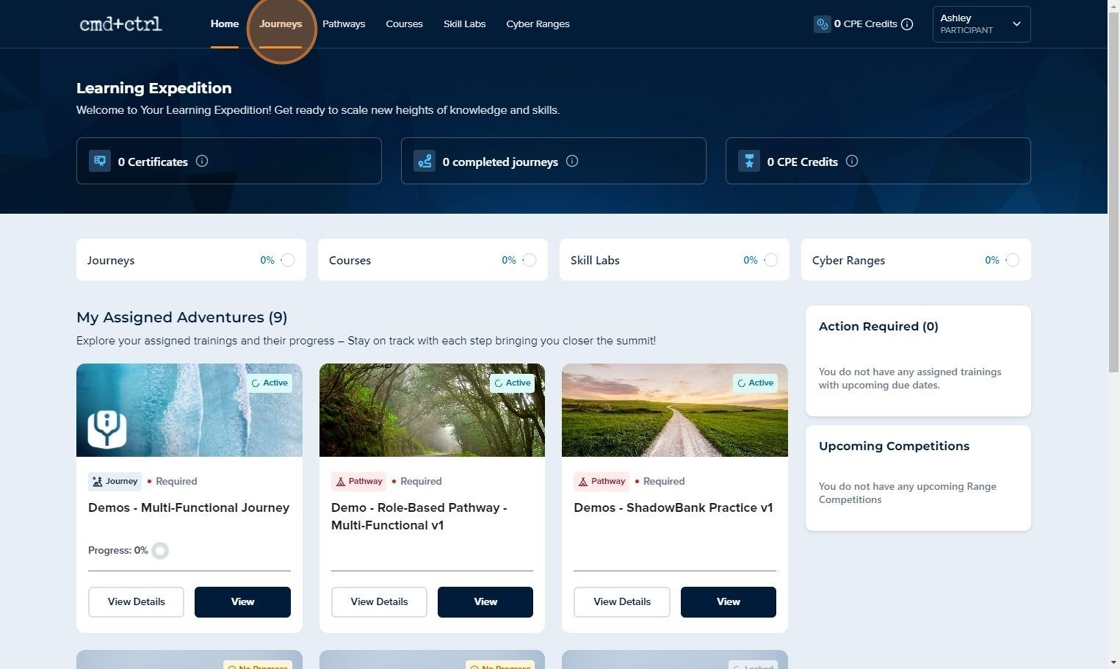
3. Here you can view all of the Journeys you are enrolled in, as well as filter them by Active, Upcoming, Completed, and Expired. View Details shows you some information about the Journey.

4. View will show you the structure of your Journey step by step

5. You can toggle between pathways and scroll down to see details of each to get an understanding of what is next. You can also see your Journey Due Date here if configured.


7. Once you complete your Pathway or Journey, this is a great place to get your Certificate.

8. To explore Pathways further, use the Pathways tab.

9. Selecting "View" will bring you back to the page with the details from step 5.

Comments
0 comments
Article is closed for comments.